Sunflower Game Download for Android
Get the latest Sunflower Game APK straight from the source. It's free, it's about the size of a few photos, and it installs in a couple of minutes — even if you've never installed an app outside the Play Store before.

Sunflower Game APK
v1.0.0 · 48 MB · Free
- Official download link
- No sign-up to download
- Keeps progress on update
- Works on budget phones
Only download Sunflower Game using the link on sunflowergame.net. Files called “mod” or “unlimited coins” on other sites are not ours and may be unsafe.
App information
| App name | Sunflower Game |
|---|---|
| Latest version | 1.0.0 |
| File size | 48 MB |
| Requires | Android 6.0 or higher |
| Category | Card & Board Games |
| Price | Free |
| Last updated | September 20, 2026 |
| Games included | Rummy, Ludo, Teen Patti, Callbreak, Carrom |
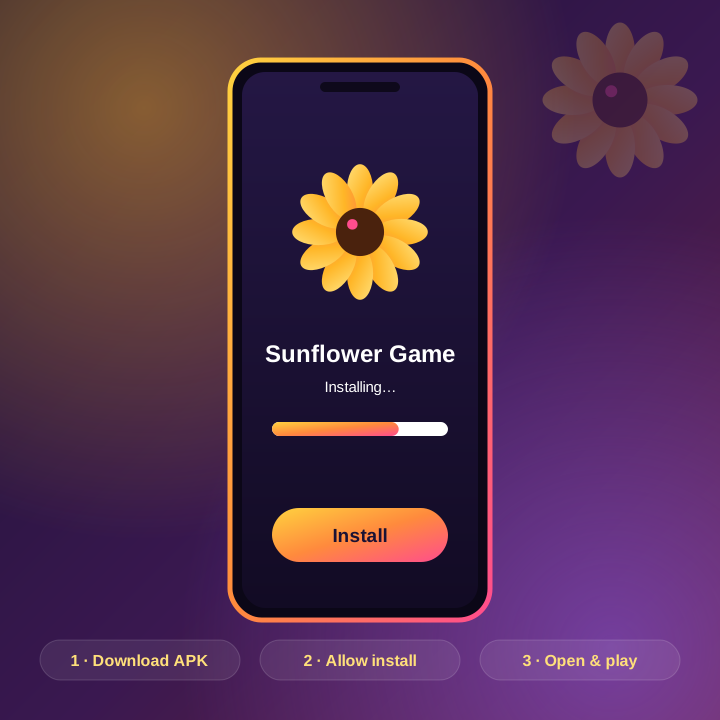
How to install the Sunflower Game APK
Four quick steps. You only need to allow installs from your browser once — after that, updates are even quicker.
- 1
Tap the Download APK button
Use the button on this page. The official download page opens in a new tab — tap its download button. Your browser might say the file could be harmful; it says that for every APK. Tap Download anyway.
- 2
Open the downloaded file
Pull down your notification bar and tap the finished download, or find the APK in your Downloads folder.
- 3
Allow installs from this source
Android will ask for permission the first time. Tap Settings, switch on 'Allow from this source', then go back.
- 4
Install and open
Tap Install and wait a few seconds. When it finishes, tap Open, sign in with your number or as a guest, and you're in.
Phone requirements
Sunflower Game is deliberately light. If your phone can run WhatsApp and YouTube comfortably, it'll run this. Here's what you need:
- Android version: Android 6.0 or higher
- RAM: 2 GB or more (3 GB+ feels smoother)
- Free storage: about 150 MB after installation
- Internet: Wi-Fi, 4G or a stable 3G connection for online tables
What's new in this version
- Smoother card dragging and grouping on the Rummy table
- New 2v2 team mode in Ludo
- Faster reconnection after a dropped signal
- Lower battery use on older phones
- Various bug fixes and small visual touch-ups
Already have the app? You don't need to uninstall anything. Download the new APK and install it over the top — your account, coins and settings stay exactly as they were. More detail in our guide to updating Sunflower Game.
If the install doesn't work
Nine times out of ten, it's one of these three things:
- "App not installed" – an older copy from another website is probably on your phone. Uninstall it, then install ours.
- "Problem parsing the package" – the download was interrupted. Delete the file and download again, ideally on Wi-Fi.
- Play Protect warning – it appears for many apps outside the Play Store. If the file came from this page, tap More details → Install anyway.
Still stuck? Send us a message with your phone model and a screenshot of the error, and we'll sort it out.
iPhone and PC
Right now Sunflower Game is Android only. iPhones can't install APK files, and we'd rather wait for a proper iOS release than point you to risky workarounds. Some players use an Android emulator on their PC — it usually works, but it isn't something we officially support.
Sunflower Game download questions
Where can I get the Sunflower Game download?
Only from the official download page on sunflowergame.net. Avoid third-party sites and anything labelled 'mod' — those files are often modified.
Is Sunflower Game on the Google Play Store?
At the moment it's distributed as an APK through the link on our download page. Installing takes a couple of minutes, and our step-by-step guide walks you through it.
Does Sunflower Game work on iPhone?
Not yet. The app is Android only for now. We'll post on the blog as soon as an iOS version is available.
Why does my phone warn me about the APK?
Android shows that warning for every file downloaded outside the Play Store. As long as you used the download link on sunflowergame.net, you can safely continue. Our article Is Sunflower Game safe? explains this in more detail.
How big is the Sunflower Game APK?
Around 48 MB for the download. Leave about 150 MB free so the game has room to unpack its graphics.
How do I update to the latest version?
The app prompts you when an update is ready. You can also download the newest APK from our site and install it over the old one — your progress stays. See how to update Sunflower Game.
More answers on the FAQ page.
Grab it and deal yourself in
Download the APK, pick a game, and you'll be at a table in minutes. If you get stuck anywhere, we're a message away.
Version 1.0.0 · 48 MB · Android 6.0 or higher